 GRC Owl
Every module. One source of truth.
Each module is useful on its own. Together they link your controls, evidence, risks, findings, policies and vendors, so nothing falls through the cracks.
Your whole programme on one screen, and in your inbox
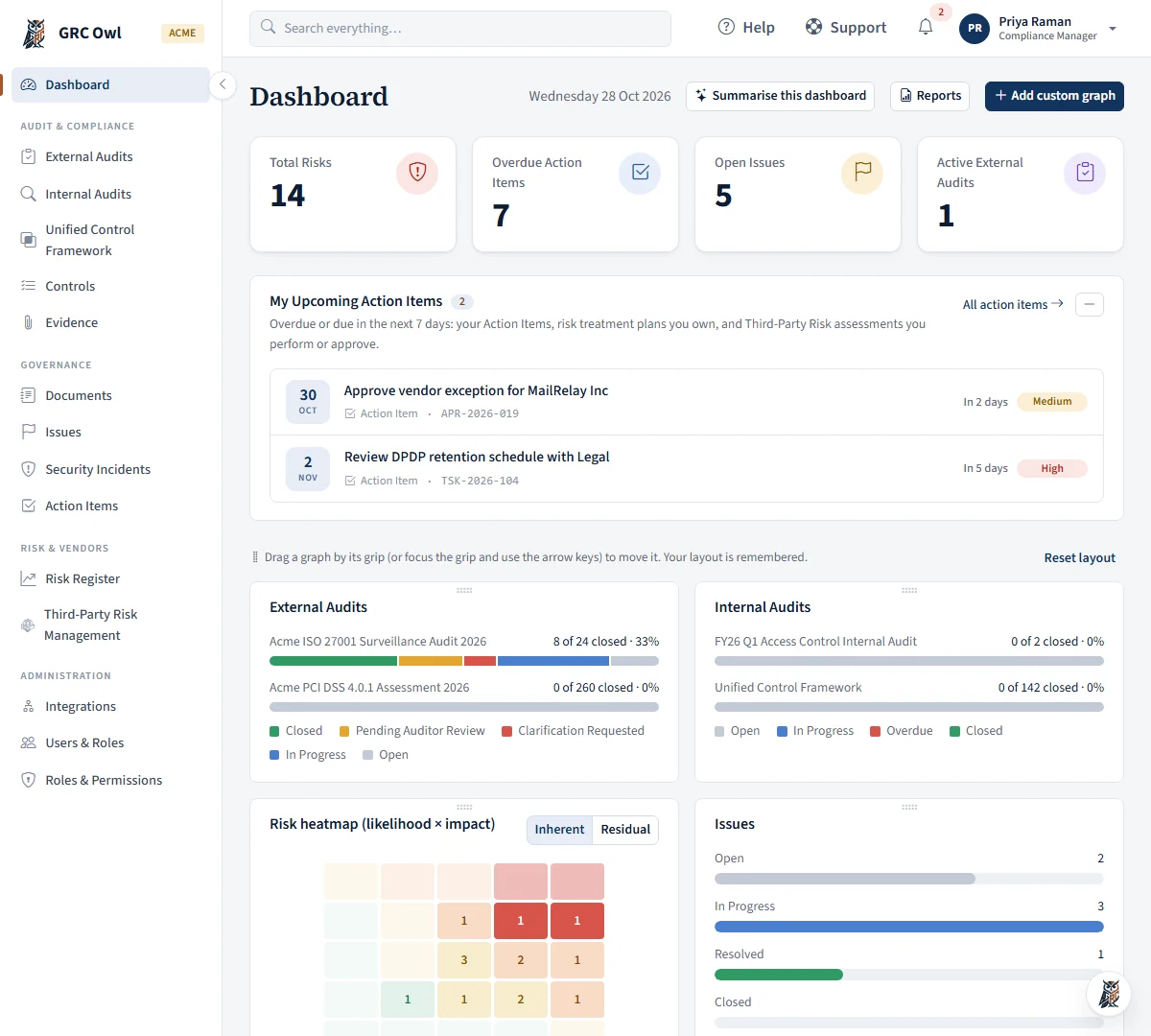
Headline figures up top, then the charts that tell you where to look next. Alerts reach the right people without anyone chasing.
- Total risks, overdue action items, open issues and active external audits at a glance
- Progress of every external and internal audit, and a likelihood × impact heatmap you can flip between inherent and residual risk
- Issues and vendor assessments by status, plus vendor criticality
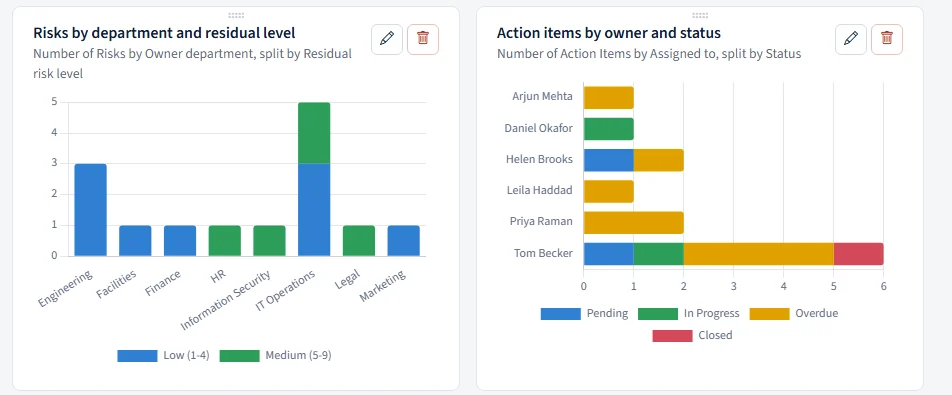
- Build your own graphs: pick a module, a chart type, what to group and split by, and a count, sum or average. Saved graphs are yours, and show only records you may already see
- In-app notifications, plus e-mail for 16 alerts that each person switches on or off
- @mentions in comments on controls, risks, issues and action items
Board-pack reports that write themselves, and arrive on schedule
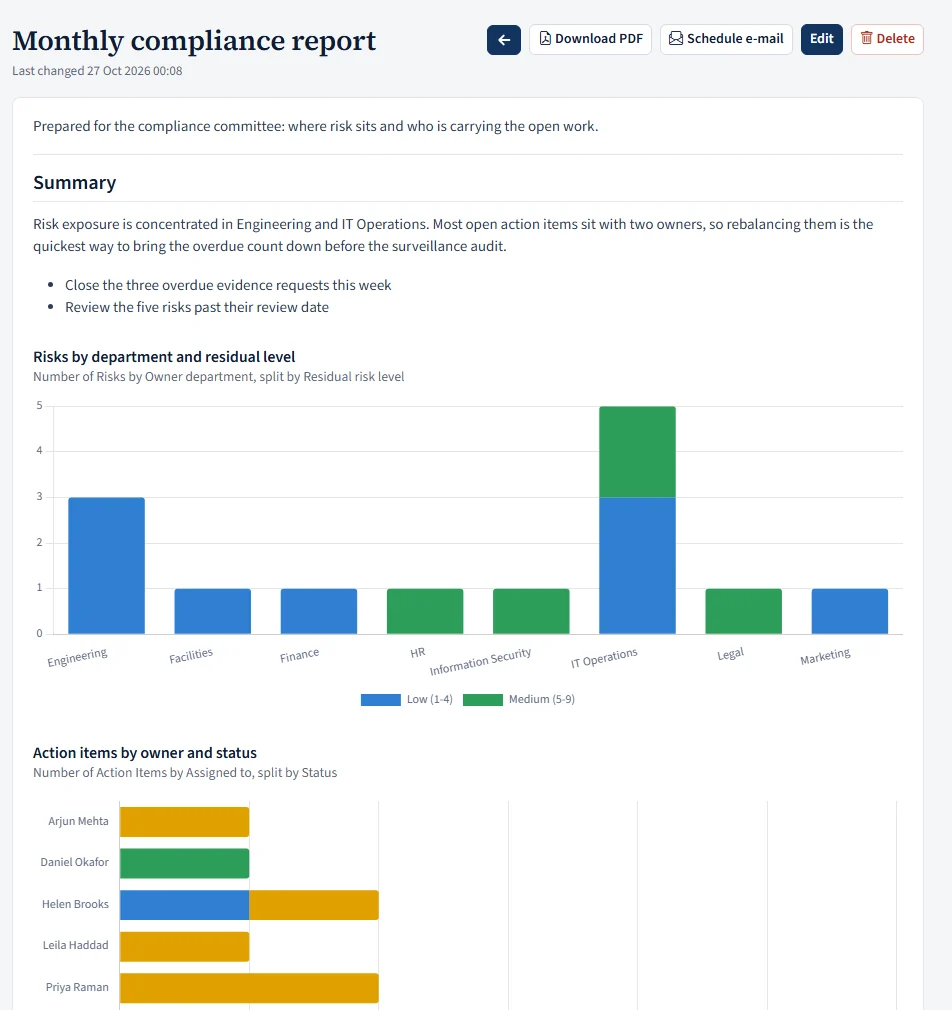
Build a report once from your own words and your own graphs. It always shows the latest numbers when it is opened, downloaded or sent.
- Mix headings, paragraphs and bullet points with graphs from any module: pick a chart type, what to group and split by, and a count, sum or average
- Rolling periods for graphs (last 7, 30 or 90 days, last 12 months, this or last month, quarter or year), and an optional data table under each graph
- Graphs can draw on risks, issues, controls, audits, vendors and engagements, security incidents, risk treatment plans and integration checks, in a palette or in your own brand colours
- Download a PDF with the charts drawn as sharp vector graphics, with page breaks where you want them
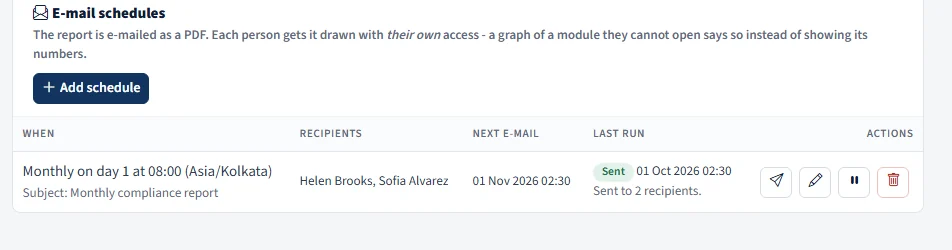
- E-mail it on a schedule: daily, on weekdays, weekly, monthly or quarterly, at the hour you choose in your own time zone, to any teammates, or send it now
- Each recipient gets the report drawn with their own access: a graph of a module they cannot open says so instead of showing the numbers
- Reports are personal to the person who wrote them, and every send is recorded in the System Log
Find anything in a keystroke, or ask in plain words
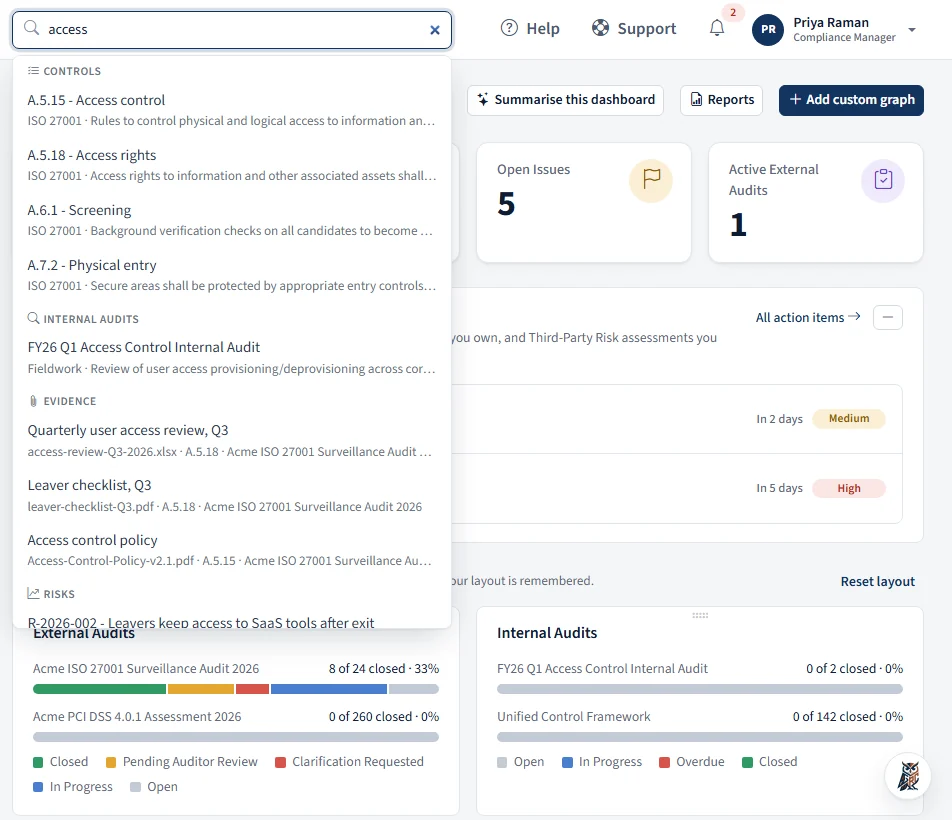
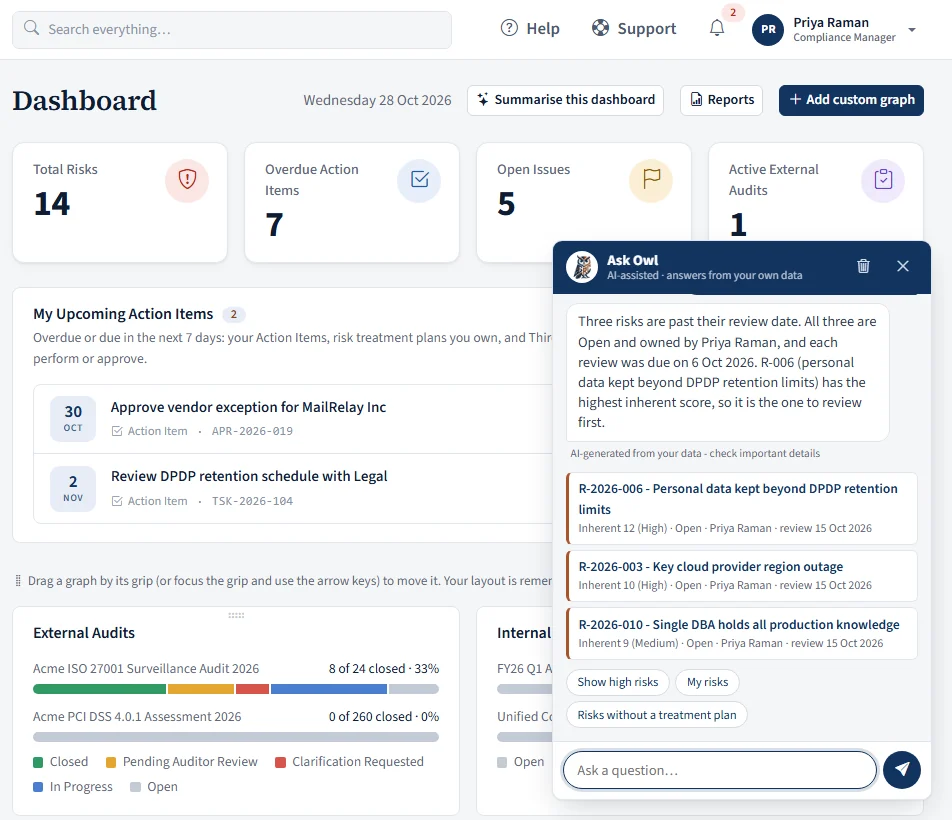
A search box sits in the title bar of every page, and a friendly Owl waits in the corner.
- Press / to jump to the search box; suggestions appear as you type
- One search across external and internal audits, controls, evidence, risks, risk registers, vendors, assessments, templates, documents, issues, action items and users
- "See all" opens the full list in that module, already filtered
- Ask Owl how a workflow works, or what needs your attention: your overdue action items, open issues, risks to review, documents awaiting your approval
- Both follow your permissions: you only ever see what your own lists would show you
- AIOwl is read-only and answers from the built-in rules. If your administrator switches on the optional AI assistant, Owl also uses it to phrase answers, and only the question and the records Owl has already looked up for you are sent to the AI service. If it is off or busy, the built-in answer is used
- AIOwl suggests questions that fit the page you are on
Certification audits, reviewed inside the platform
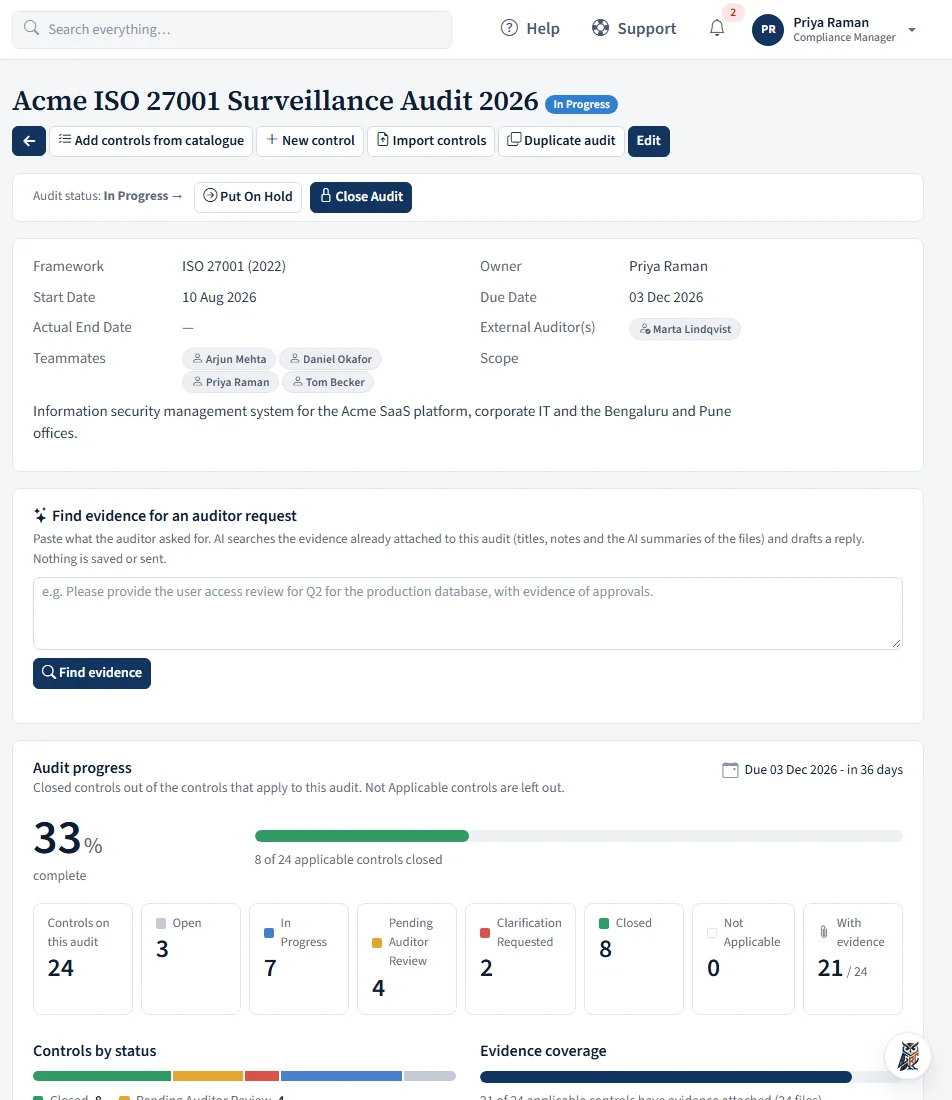
Each audit records its framework, scope, owner, dates, external auditors and teammates, and opens with a live progress dashboard.
- Audits on PCI DSS, DPDP, HIPAA, ISO 42001, ISO 27701, GDPR, NIST CSF 2.0 and the SEBI, RBI, IRDAI and CERT-In sets start with the whole control set on the checklist; ISO 27001 controls are picked from the catalogue
- Teammates (any role) comment, @mention, attach files and click Submit for Review
- The external auditor approves each control or requests clarification, and sees nothing beyond their audits
- Progress by control group, evidence coverage, time left to the due date, and status filters
- An activity feed of every change, upload and decision
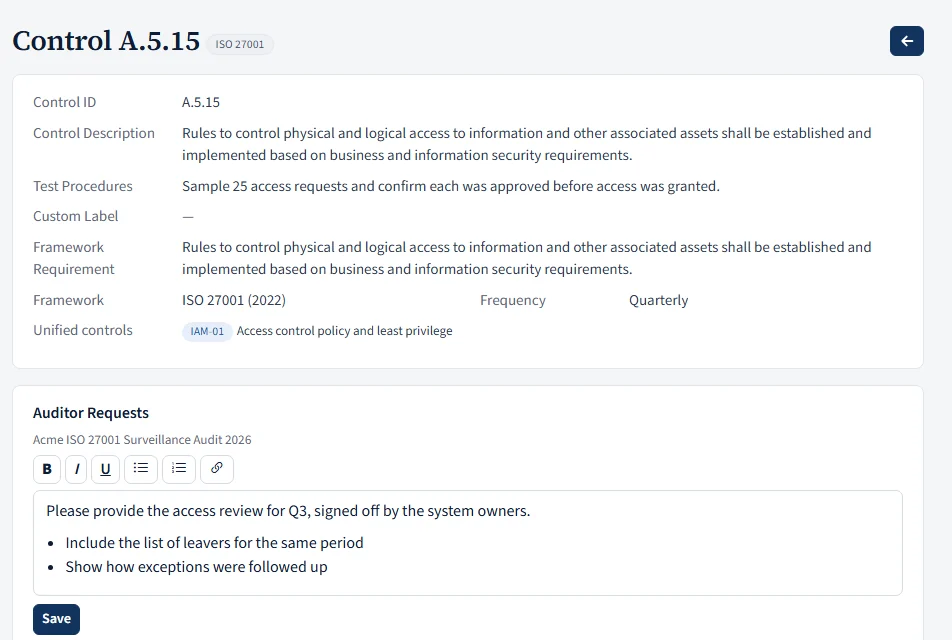
- Per control, the assigned external auditor writes Auditor Requests: what they need from your team, in a rich-text box only they can edit
- The audit has its own status: Planning, In Progress, On Hold and Closed, moved only by the audit owner with buttons on the page. The statuses are editable in Workflows, and teammates and auditors are notified of each change
- Closed means closed: no more controls, evidence, comments or edits on that audit, and a control that only ever belonged to closed audits is frozen too. The end date is stamped for you
- Duplicate an audit for next year: the owner, auditors, teammates, dates and controls come across in a fresh Planning audit, with all controls Open and no comments or evidence
An internal audit programme that runs itself
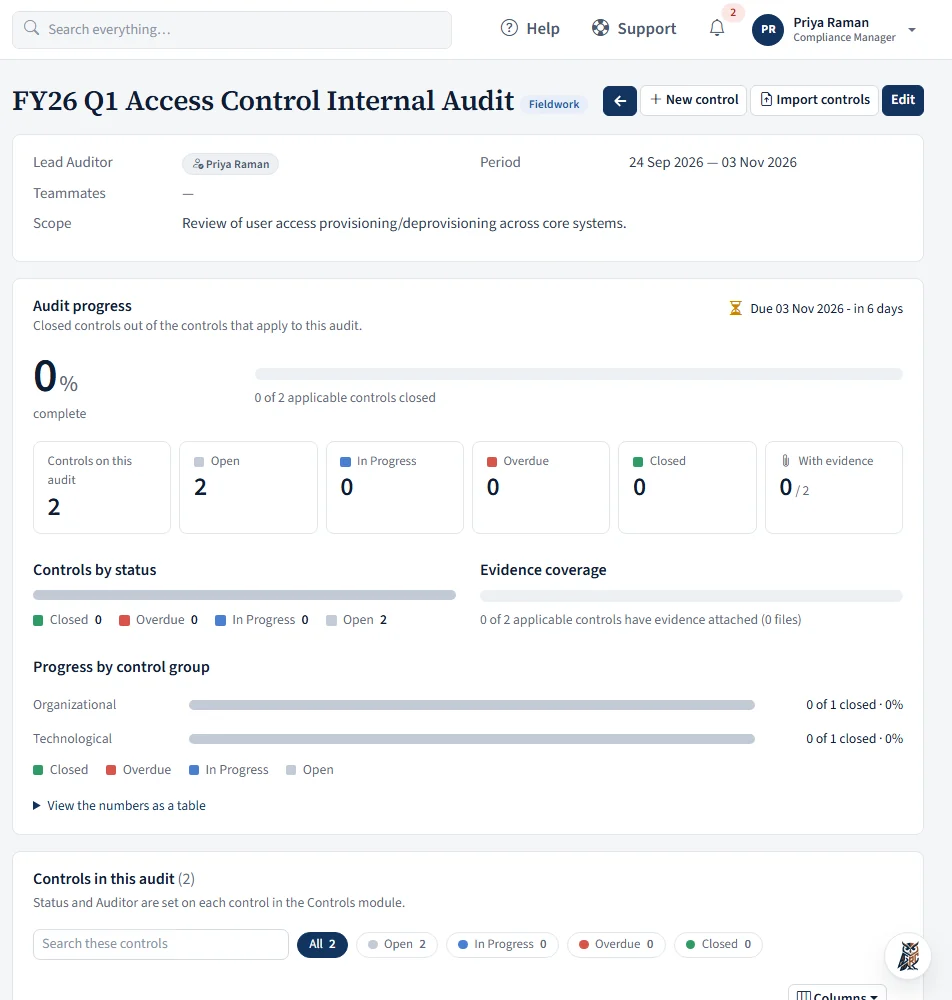
Plan audits with a lead auditor and teammates, test controls and track every review date.
- Each control on an audit has an auditor, a status and its own start, end, due and next-review dates
- A comment or new evidence moves a control to In Progress automatically
- Controls turn Overdue on their due date, and the auditor is notified
- Closed controls reopen by themselves when the next review date arrives
- Progress per audit on the list and on the dashboard; findings go straight to Issues
One control library for every audit
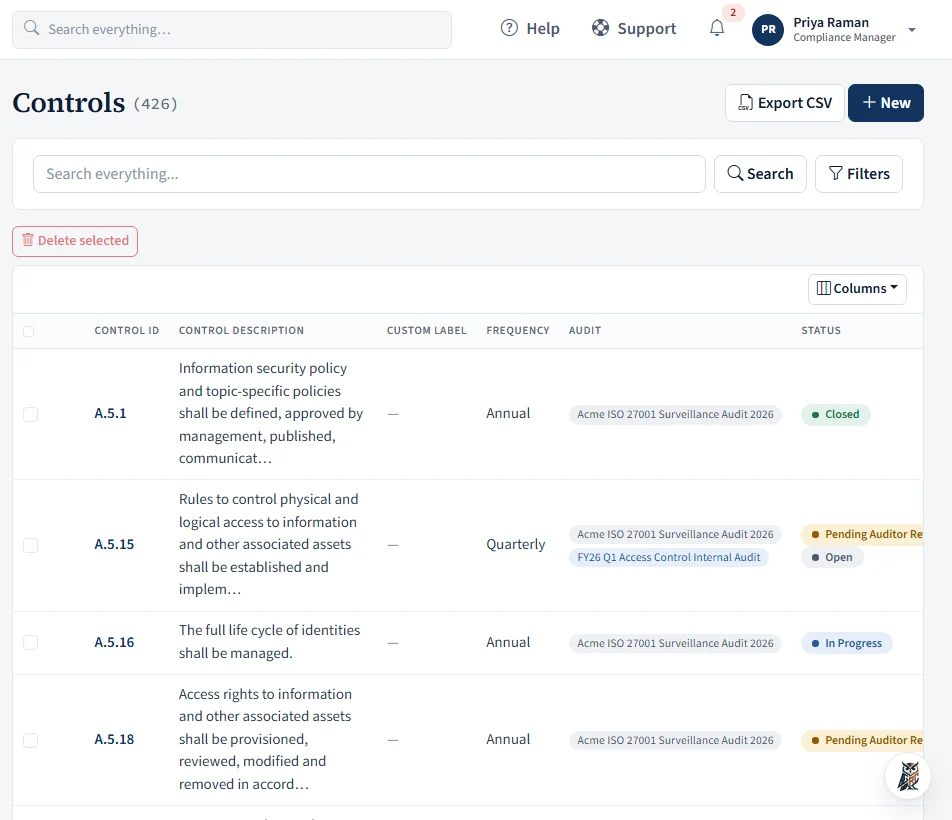
Each control has an ID, a description, test procedures, a framework and a frequency, and is linked to the audits it serves.
- Eight frequencies, from Continuous and Daily to Annual and Ad hoc
- Link related controls so one piece of work counts across frameworks
- Unified Control Framework: 142 common controls in 17 domains, mapped to the requirements of 16 frameworks. Mappings go live only for frameworks you are actually auditing, so you see where one control and one piece of evidence answer several audits. Details on the frameworks page
- Import from Excel or CSV into a specific audit: every row previewed, then saved in one step
- Filter by any field, choose and resize columns, and delete in bulk
- Comments with @mentions and attachments on each control
- A Framework Requirement field holds the wording of the standard next to each control, and shows in the catalogue you pick controls from
- Export the filtered list to CSV, with every audit a control belongs to
Every piece of proof, one search away
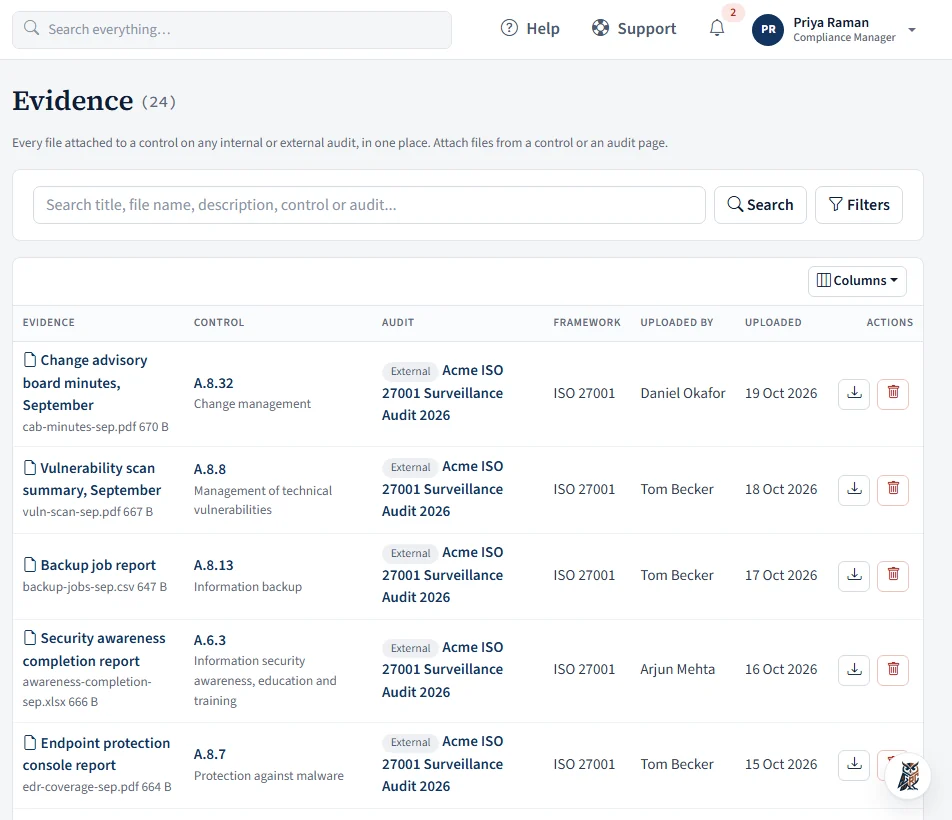
Evidence is attached to a control within each audit, and every file across every audit appears in one searchable list.
- PDF, Word, Excel, PowerPoint, images, CSV, text and zip/tar/gz archives, up to 20 MB each and 10 at a time
- Archives are opened and checked entry by entry; executables and scripts are refused outright
- Filter by control, audit, internal or external, framework, uploader and date
- Stored outside the web root and served only after a permission check
- AIWith the optional AI assistant on, each upload is read in the background, including text in images and scans, so search finds files by their content
- Optionally kept in your own cloud storage instead of on our server: OneDrive, SharePoint, Google Drive, Amazon S3 or SFTP
Risk registers that stay current
Keep as many registers as you need (enterprise, vendor, project) with access set per register.
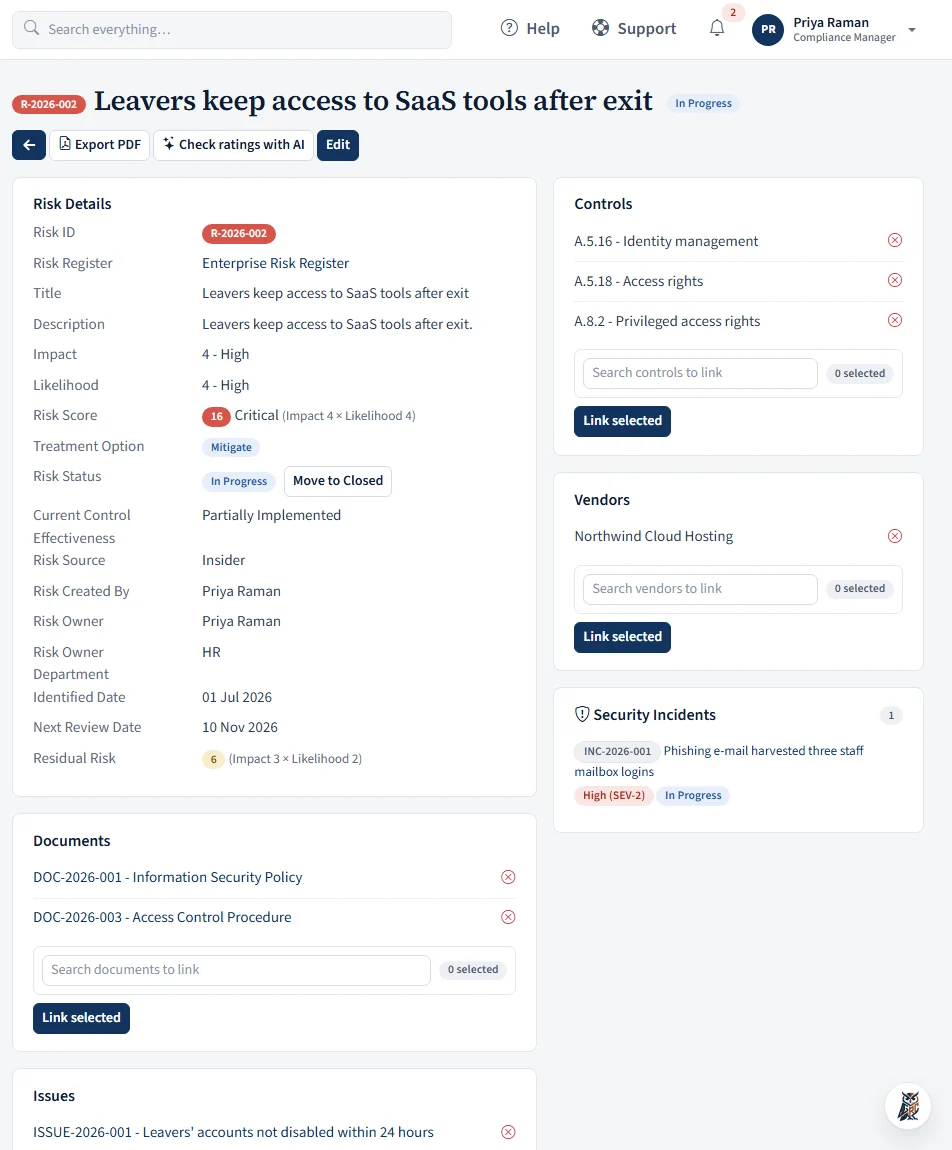
- Auto-numbered risks (R-2026-001…) with a source, a named owner (notified by e-mail) and an Open → In Progress → Closed status
- Inherent and residual likelihood × impact, the rationale behind the scores, and control effectiveness on a five-step scale
- Accept, Mitigate, Transfer or Avoid, with an "accepted until" date and a treatment plan of owned, dated actions
- Map to ISO 27001:2022 Annex A, and link to controls, documents, issues and vendors
- Excel or CSV import with a preview, CSV export of the filtered register, a PDF of any single risk, and every change in the System Log
From finding to fix, on the record
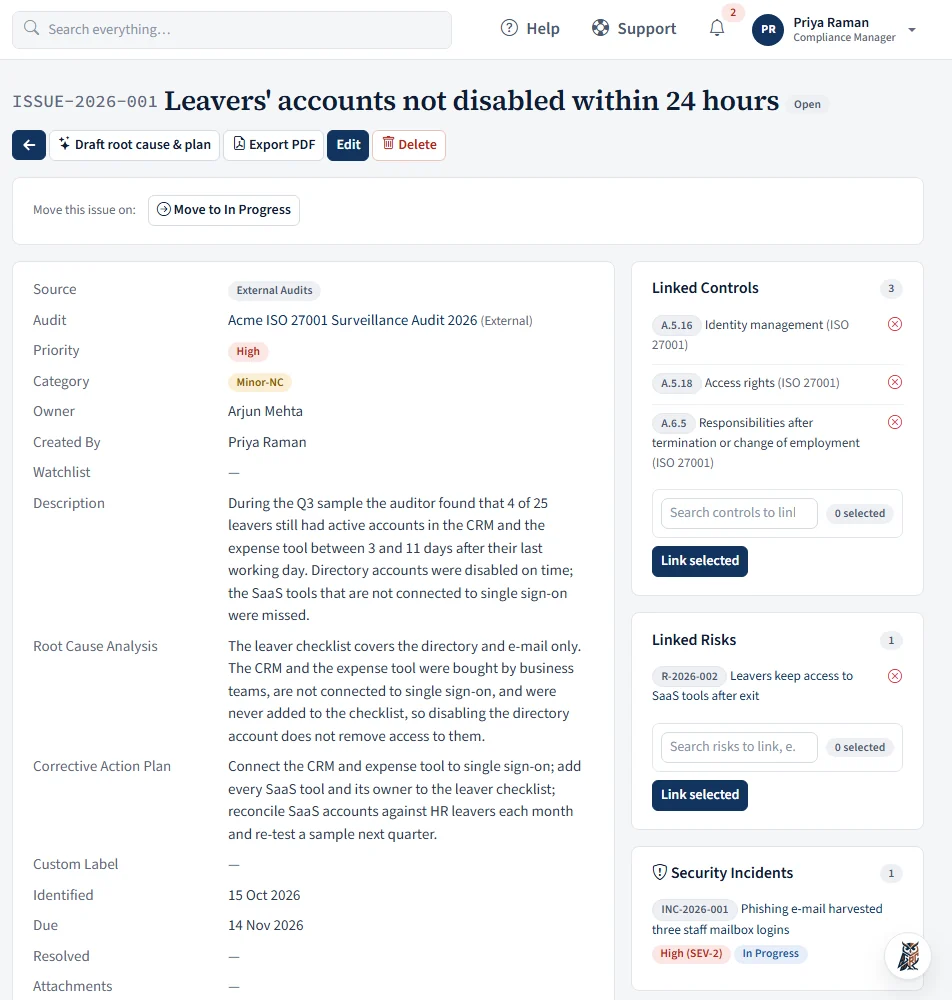
A single register for audit findings and compliance gaps, wherever they come from.
- Auto-numbered issues (ISSUE-2026-001…) from internal audit, external audit or a compliance initiative
- Observation, Minor-NC, Major-NC or Opportunity for Improvement, with priority from Low to Critical
- An owner, due date, root-cause analysis, corrective action plan and remediation actions
- Mapped to Annex A and other controls, and linked to the risks they affect
- Tag the internal or external audit an issue came from, and filter the list by audit or by identified date
- A PDF of any issue, with its analysis, actions, comments and history, and a CSV of the filtered list
- Comments with @mentions and attachments; owner and creator e-mailed on every status change
Record, work and close every security incident
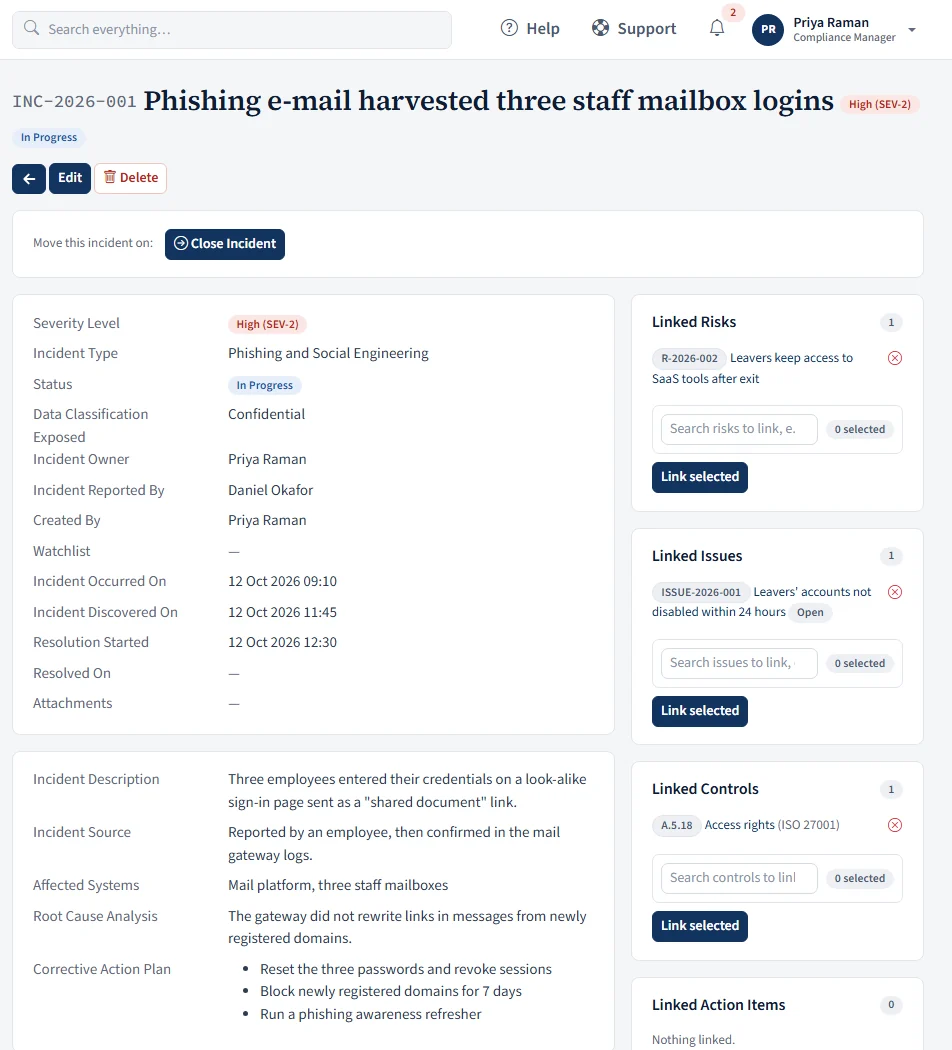
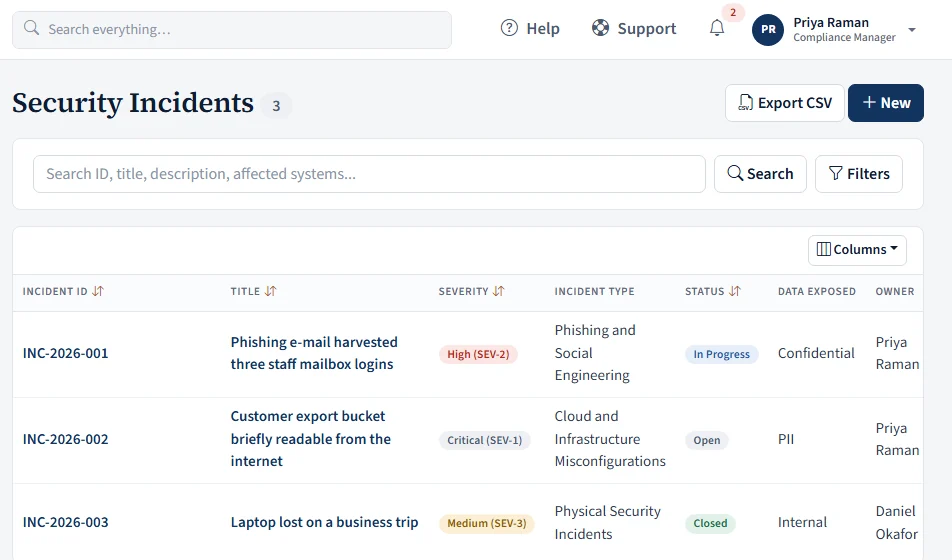
One register for incidents, from the first report to the lessons learned, with the same access care as Issues.
- Auto-numbered incidents (INC-2026-001…) with a severity from SEV-1 to SEV-4 and a type: malware, phishing, unauthorized access, denial of service, data breach, application attack, cloud misconfiguration, supply chain, physical or other
- An owner, who reported it, the source, affected systems, data classification exposed, and rich-text description, root cause analysis and corrective action plan
- A timeline: when it occurred, was discovered, resolution started and was resolved, checked so the dates run forwards
- Open → In Progress → Closed, moved by the owner or the person who reported it, with an editable workflow like the other modules
- Link to the risks, issues, controls and action items it touches, and see the incident from each of those records
- Only the creator, owner, reporter, watchlist and System Administrators can see an incident; comments with @mentions and attachments, e-mail alerts, global search and a CSV of the filtered list
Controlled documents with a real approval workflow
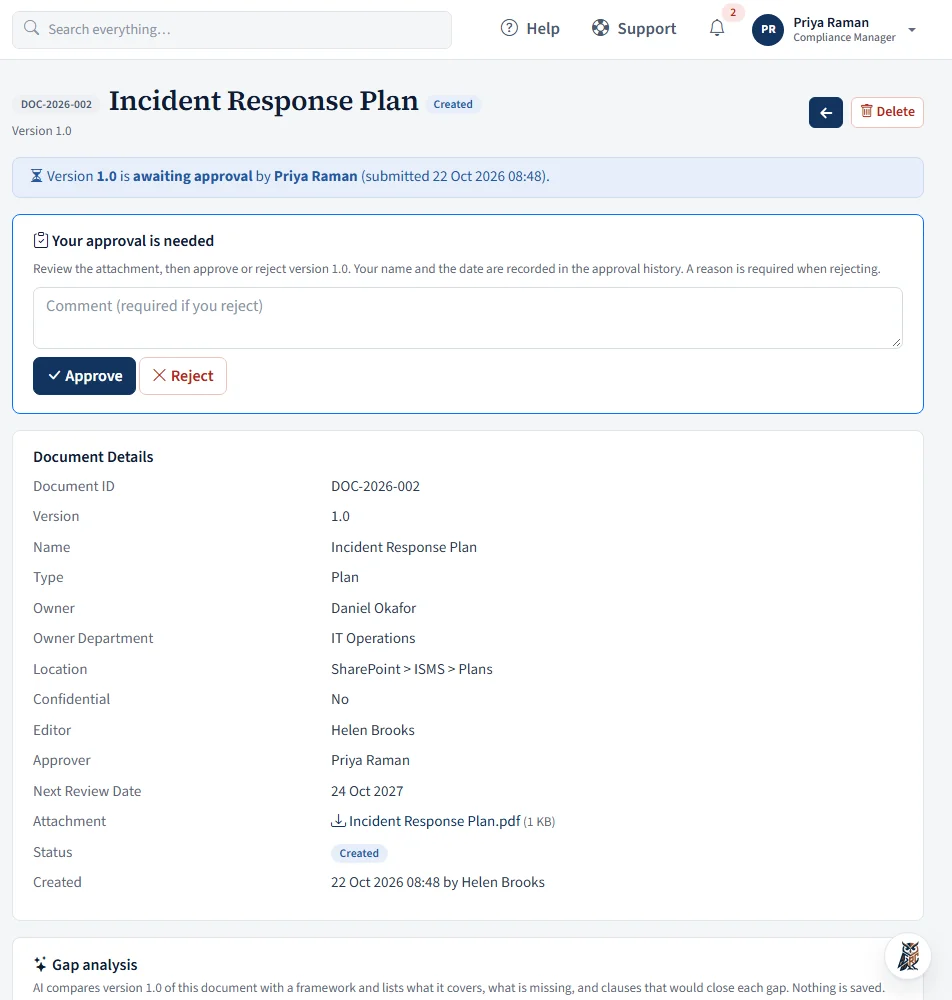
Policies, processes, certificates, manuals and plans, each with its own ID, version and review date.
- Auto-numbered documents (DOC-2026-001…); versions start at 1.0 and rise by minor or major revisions
- Submitting a version gives the approver an approval task; rejections need a reason
- The approved version stays in effect until the next one is approved
- Drafts stay private; confidential documents are visible only to the people named on them
- Full version and approval history, decisions e-mailed, and every download logged
- AIdraft the "version changes" note by comparing the new file with the previous one, or get policy improvement suggestions on a new document. You review and edit; nothing is saved for you
Every to-do, typed and traceable
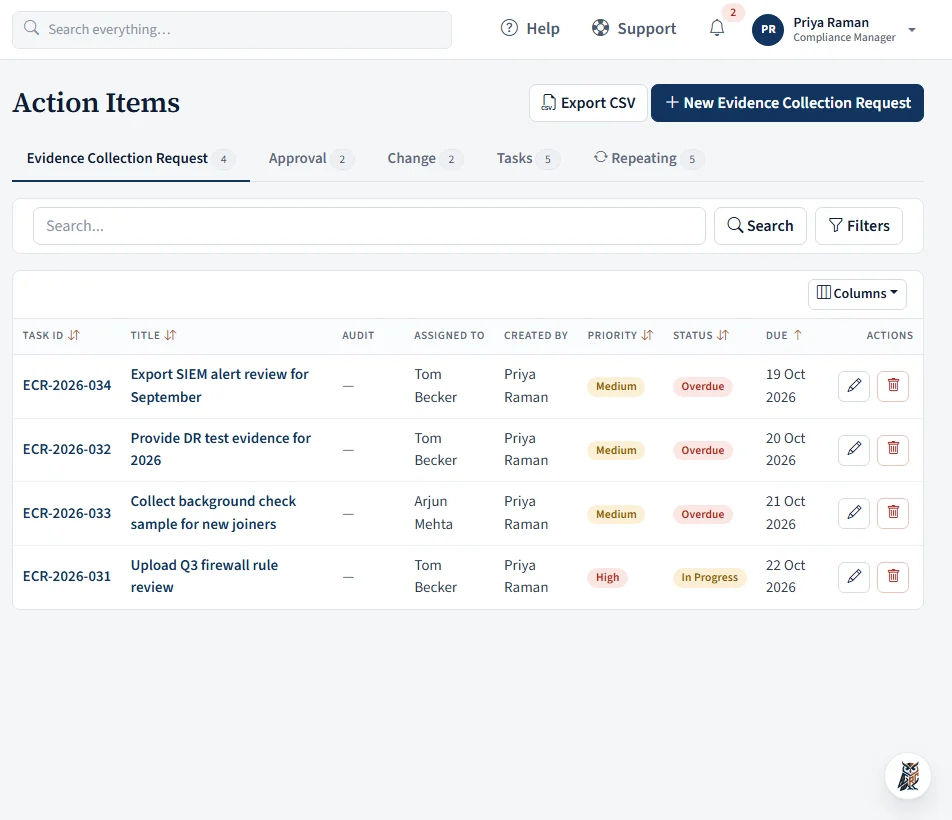
Tabs for evidence collection requests, approvals, changes and general tasks, each with its own workflow and a readable ID.
- IDs like ECR-2026-031, APR-2026-018, CHG-2026-044 and TSK-2026-102, numbered afresh each year
- Priority, dependencies, due dates, and rich-text comments with @mentions and attachments
- Filters on every field; reminders before the due date and alerts when overdue
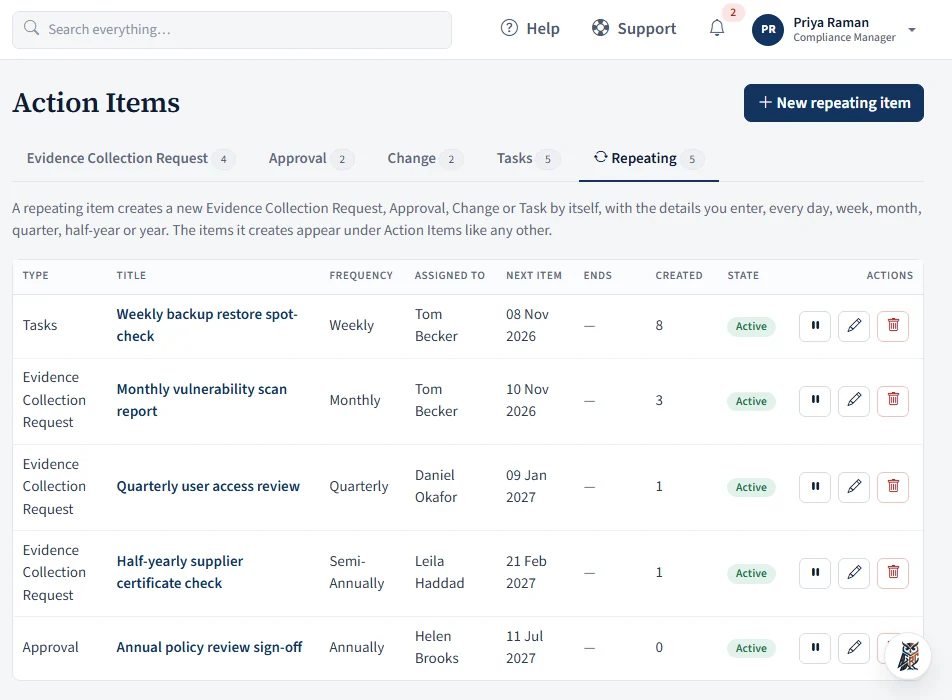
- Repeating items: set a daily, weekly, monthly, quarterly, half-yearly or yearly template and the item is created for you on schedule, with an owner, priority and due date. Missed periods never pile up
- Bulk import from Excel or CSV for administrators
- Private by default: an action item is visible only to the person who created it, the person it is assigned to and its watchlist. Nobody else can see it, administrators included. Watchers can read, comment and @mention but not edit, and are notified when added
- Workflow buttons on the item (including Send back and Reopen) instead of a free status dropdown, so every change follows your workflow
- A free-text custom label, a created date, and every field together on one page, with comments underneath
- A PDF of any action item with its comments and history, and a CSV of the filtered tab
Vendors, assessments and templates in one module
Know who you rely on, how critical they are, when they're next due for review, and how their answers score.
- Vendor inventory (V-2026-001…) with type, service, business unit, classification, criticality, contacts, and last-assessed and next-review dates
- Vendor compliance documents with expiry tracking
- Questionnaire templates, weighted 1–5 per question or all equal; start from a template, duplicate and adapt
- Questions can ask the vendor for evidence files
- AIsuggest questions for a questionnaire or template, and review a vendor's replies and files into a summary, findings and a follow-up message you can copy. Nothing is sent to the vendor automatically
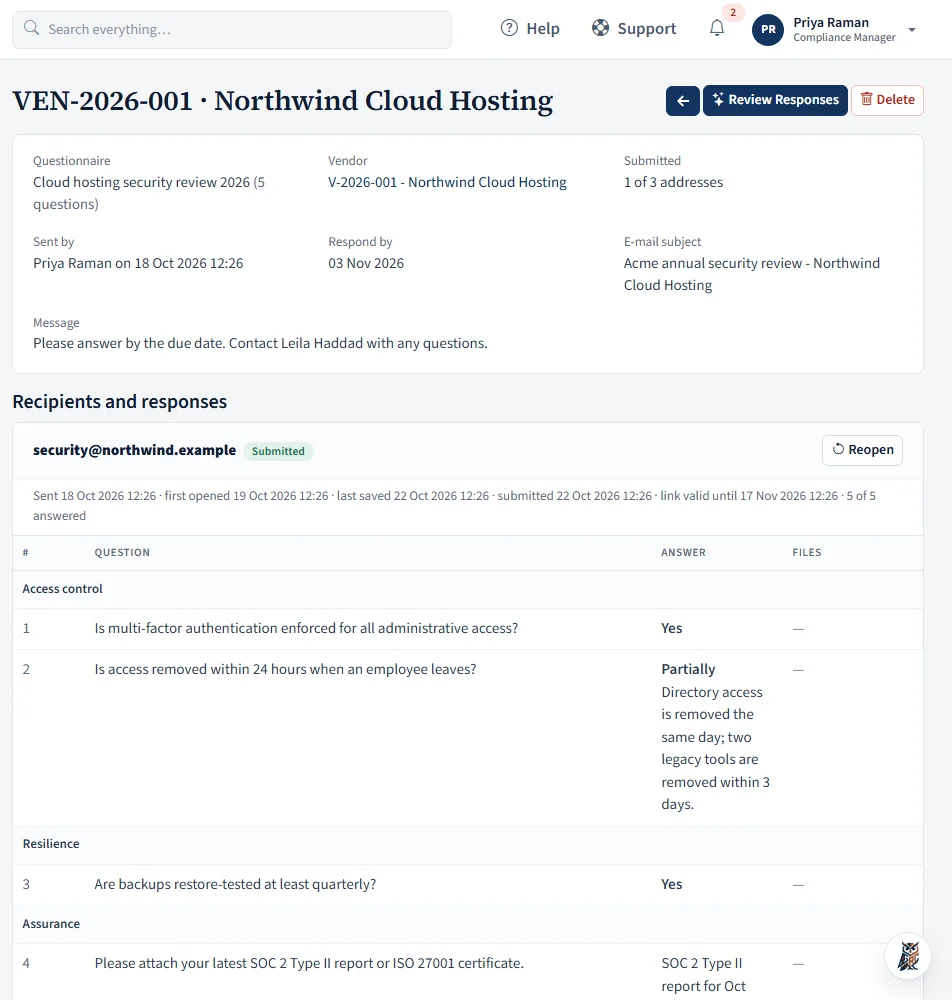
- Vendor questionnaires and engagements (VEN-2026-001…): send questions to your vendors by e-mail. Each contact gets a private link, with no account or login, to answer and attach files
- You see who has replied, can add recipients, resend, reopen or revoke a link, and read the answers and files in the app
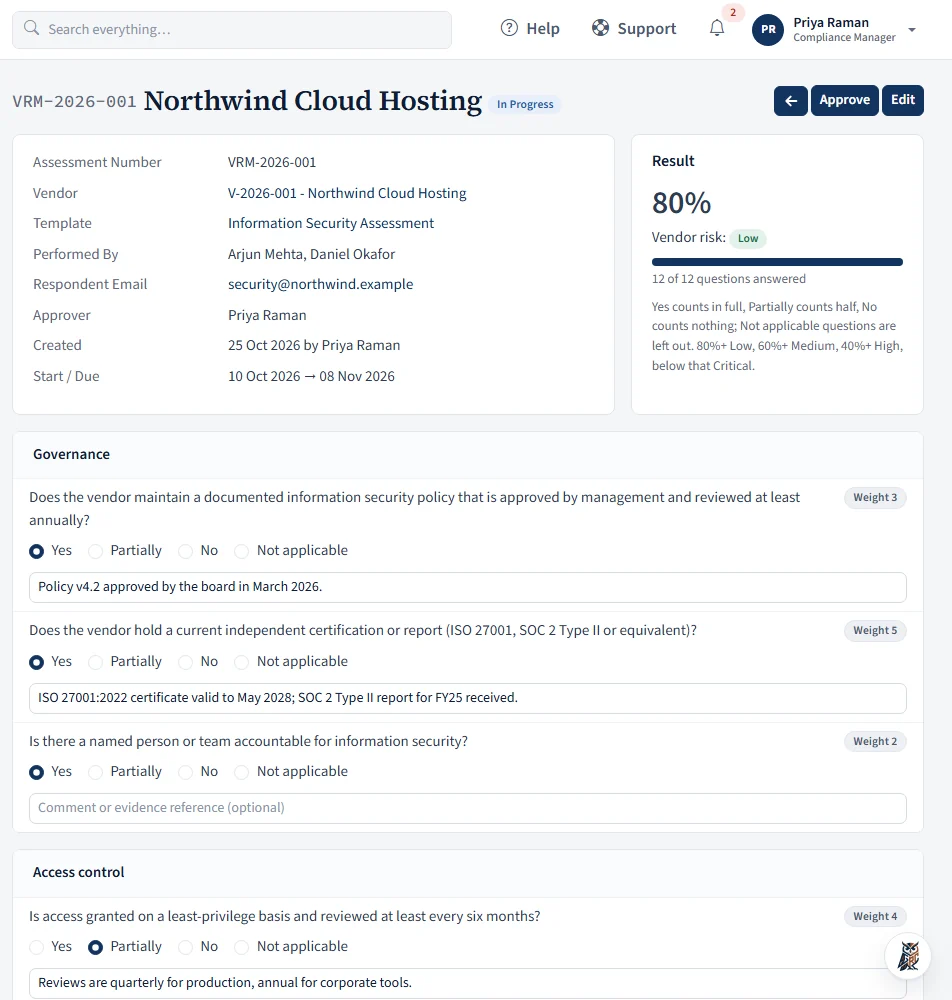
- Assessments (VRM-2026-001…) scored automatically: Yes counts in full, Partially half, No nothing, N/A is left out
- Open → In Progress → Approved → Closed, with overdue flags and reopen
- Export the vendor list to CSV. System Administrators can bring vendors, assessments, templates, questionnaires and engagements in from CSV or Excel, with a blank template for each and a row-by-row result
A workflow engine you configure yourself
Administrators shape how audit controls, action items and issues move, and the system enforces it.
- Add your own statuses and transitions for each module
- Decide which role or person may make each move: owner, teammate, creator or external auditor
- Automatic triggers: a comment, new evidence, a passed due date, or the next review date
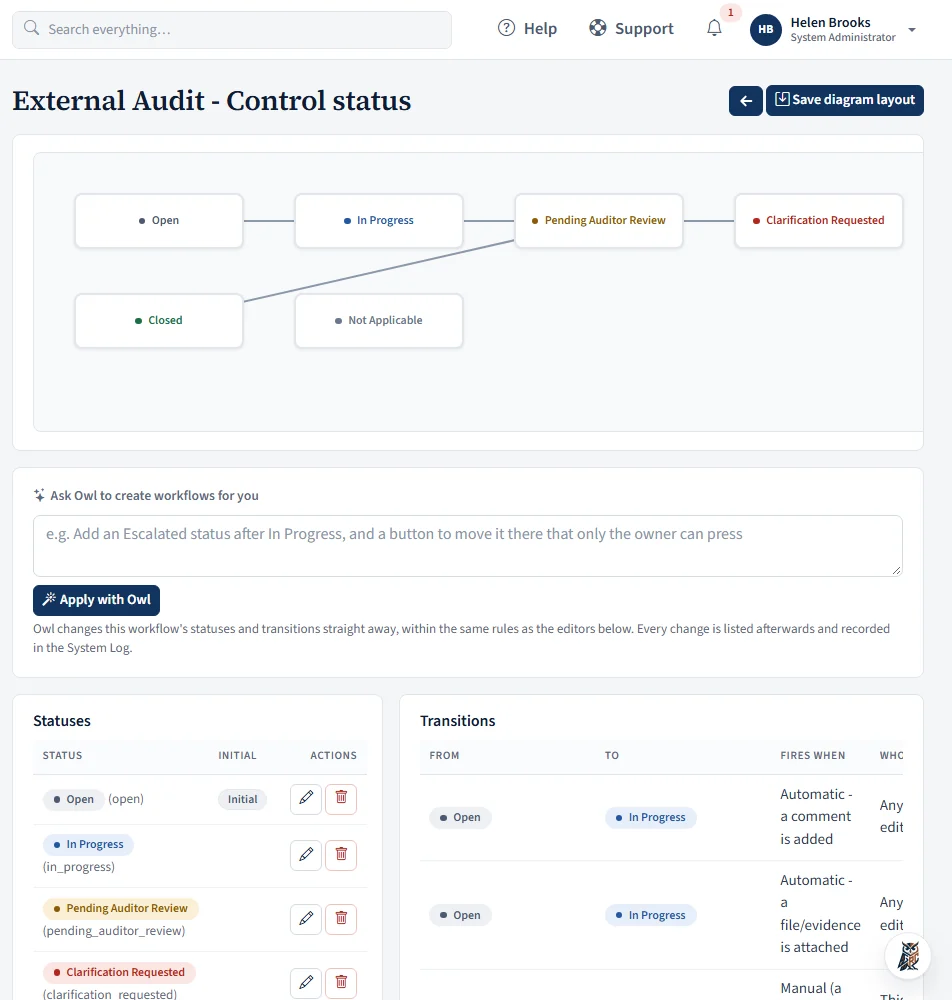
- See the whole workflow as a diagram you can arrange
- AIdescribe a change in plain words and Ask Owl adds the statuses and transitions. It follows the same rules as the manual editor, tells you what it applied and what it skipped, and the change is logged
Users, roles, sign-in and a log you can show an auditor
Straightforward access control, with a record of who changed what.
- Four roles: System Administrator, Compliance Manager, Employee and External Auditor
- Single sign-on with any OpenID Connect provider, two-factor codes, and self-service password reset
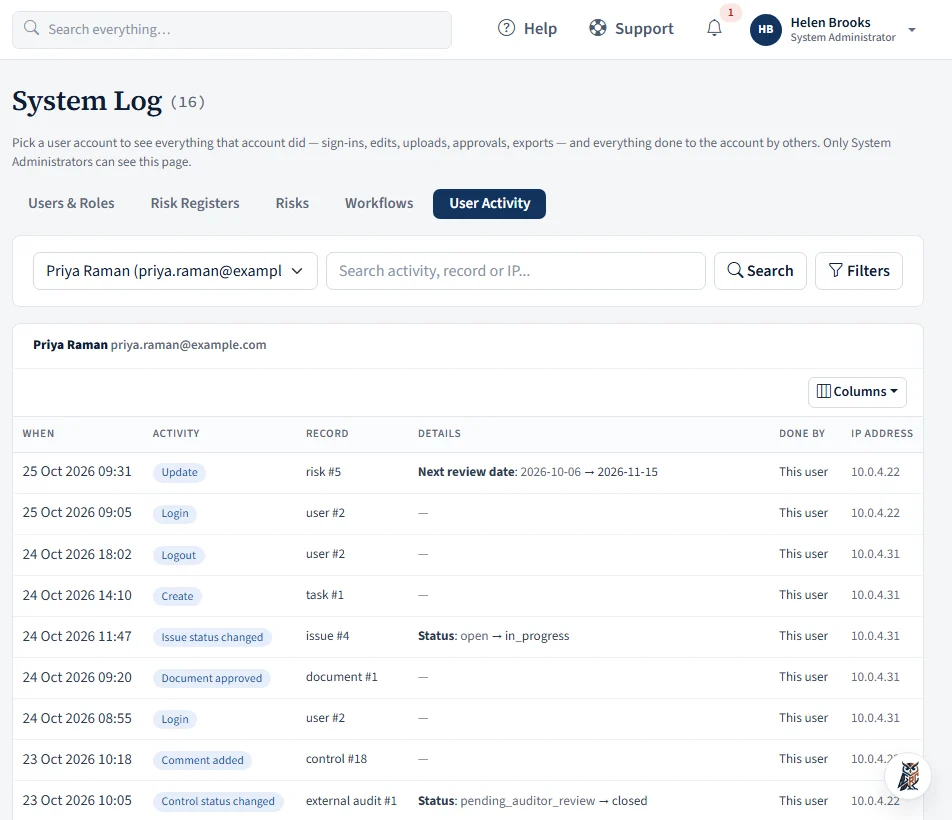
- A System Log for users and roles, risk registers and their access lists, risks and workflows, plus a User Activity view of everything one person did
- A read-only permissions matrix so everyone can see what each role can do
- A Help button in the title bar opens a searchable user guide for the application: every module, how-to answers, troubleshooting and a glossary. It shows what your own role can and cannot open
- File encryption (System Administrator): turn on encryption of uploaded evidence and documents with AES-256, protected by a passphrase only you hold, then convert existing files in verified batches. Files are decrypted only when someone with permission opens them
- Personal time zone, date format, profile photo, e-mail alert choices and a Light or Dark theme
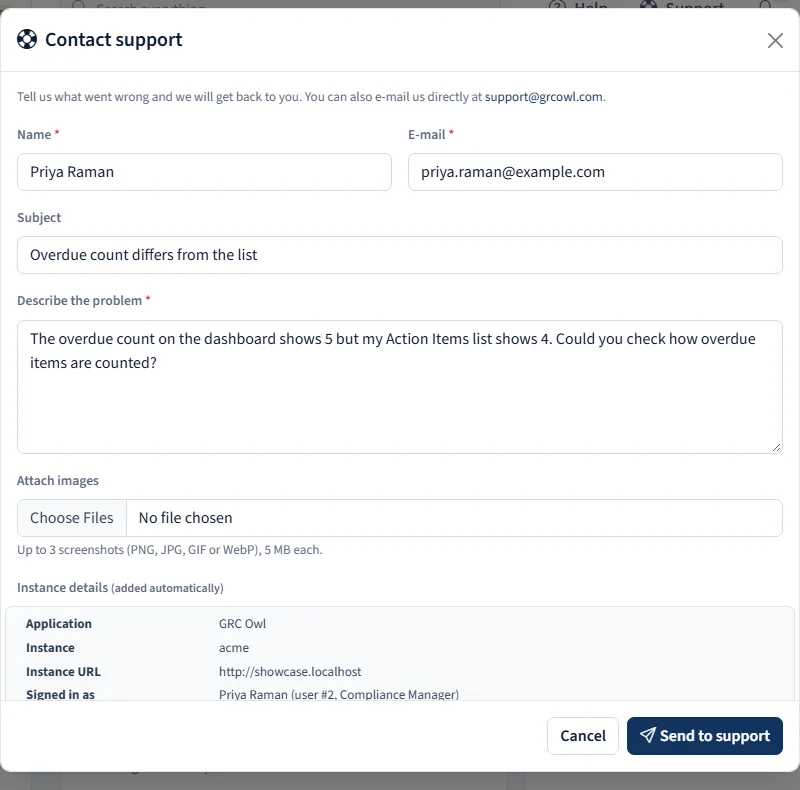
- A Support button in the title bar: describe a problem, attach up to three screenshots, and the request goes to support with the instance details filled in by the server and a reference number for you. It still works when an instance is read-only
Connect the systems your controls depend on, and let them test themselves
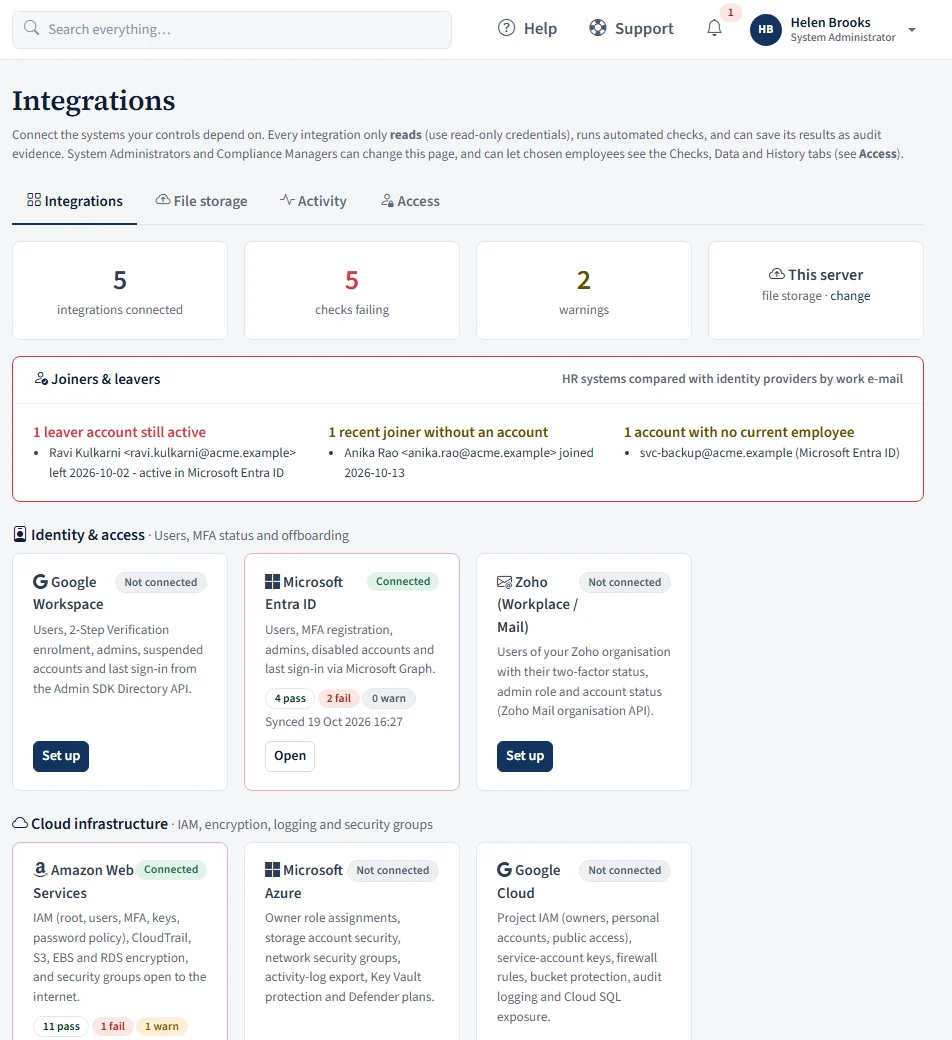
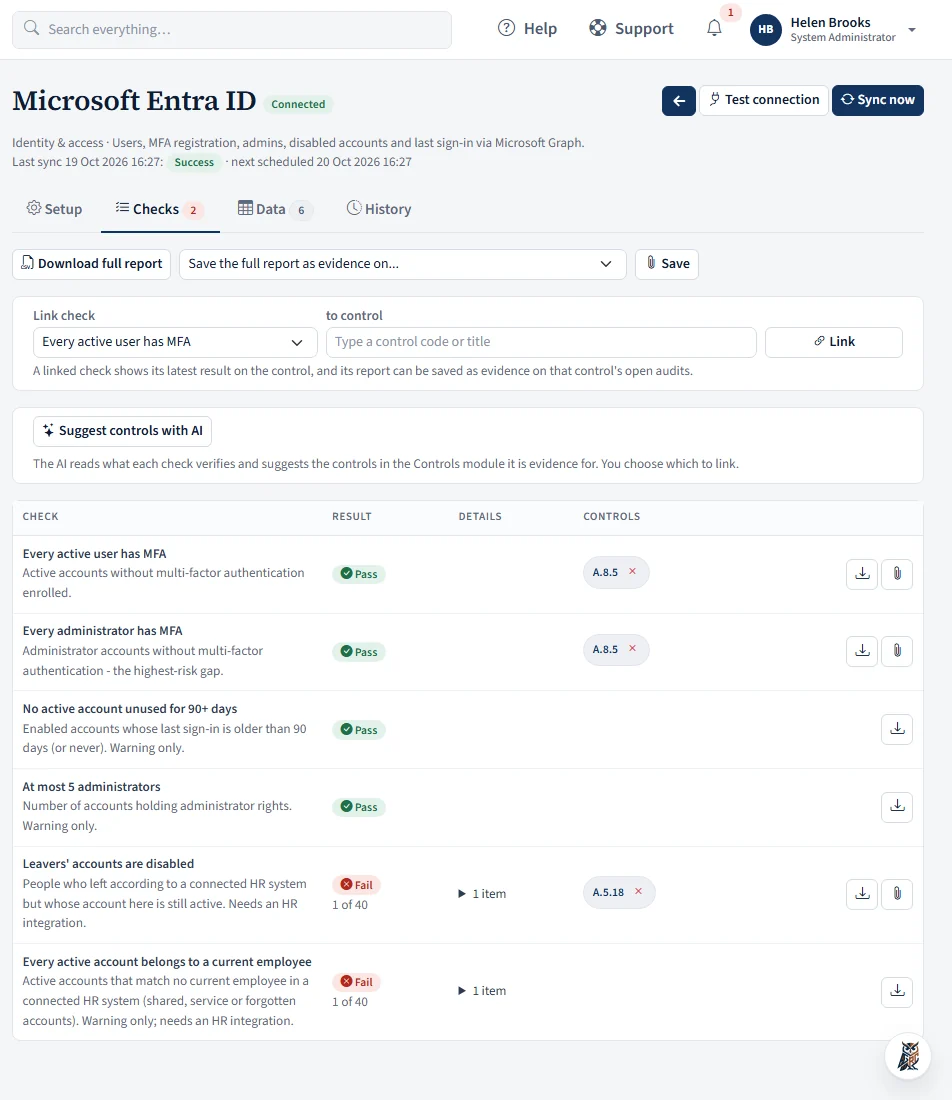
Instead of screenshots of a console, GRC Owl reads from your identity, cloud, code, HR and device systems, runs automated checks and keeps the results as audit evidence.
- Identity: Google Workspace, Microsoft Entra ID and Zoho. Cloud: AWS, Microsoft Azure and Google Cloud. Code: GitHub, GitLab and Bitbucket
- HR systems: Keka, Zoho People, Darwinbox and BambooHR. Devices: Microsoft Intune, Jamf Pro, CrowdStrike Falcon and a small GRC Owl device agent for Windows, macOS and Linux. Change tickets: Jira and ClickUp
- Read-only by design: you give each integration read-only credentials, with step-by-step setup shown for each. Secrets are encrypted with a per-instance key and never shown again
- Ready-made checks for the things auditors ask about: MFA for every user and administrator, unused accounts, root account and key hygiene, encryption and public access in cloud storage and databases, ports open to the internet, branch protection and reviewed merges, disk encryption and device check-ins, and approved change tickets
- Joiners and leavers: HR records are compared with your identity providers by work e-mail, so a leaver whose account is still active, a new joiner with no account, and an account that belongs to nobody are listed by name
- Sync on demand, daily or weekly, with a history of every run and the records collected
- Link a check to the controls it proves. The latest result shows on the control, and the report can be saved as evidence on that control's open audits, or downloaded as a file
- AISuggest controls: AI proposes up to three controls each check can prove, marked as a strong or possible fit; tick the ones you agree with and link them in one step
- System Administrators and Compliance Managers set up and run integrations. On the Access tab they can let chosen employees see the Checks, Data or History tabs, and link checks to controls, without ever seeing setup, credentials or file storage
- Cloud file storage for your own OneDrive, SharePoint, Google Drive, S3 or SFTP is set up on the same page
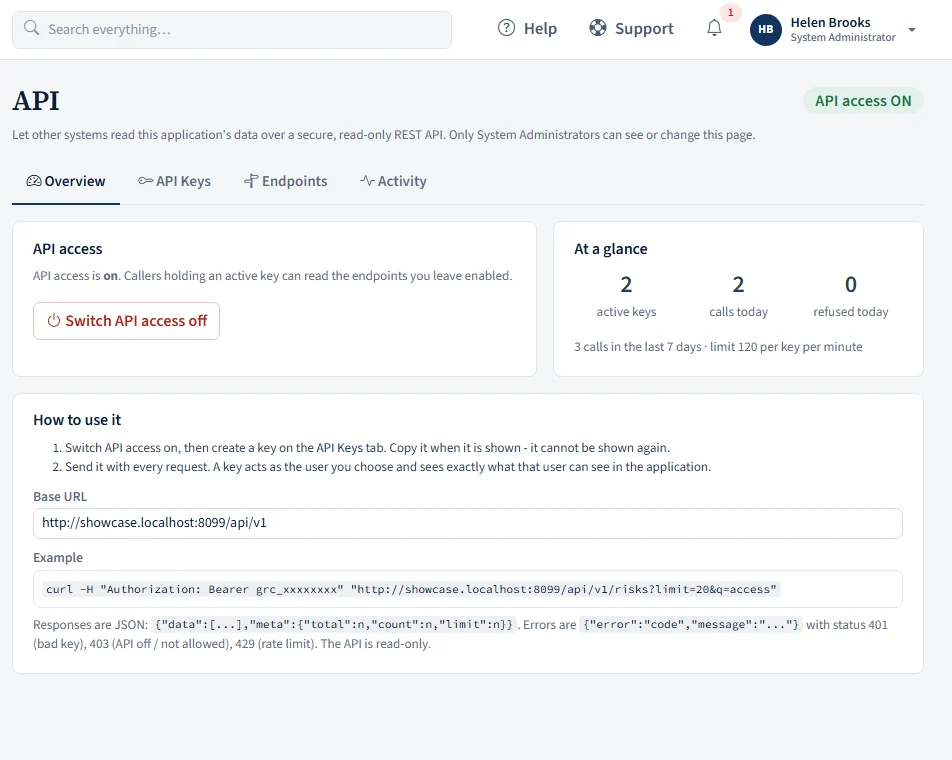
A read-only API, switched on only by your administrator
Let your BI tool, data warehouse or audit tracker read from GRC Owl without exports, while the people who run it stay in control.
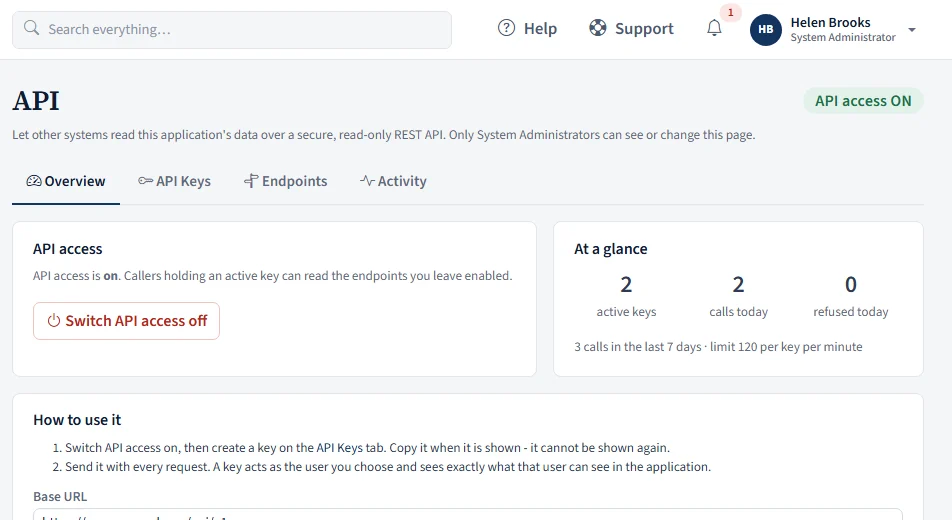
- Off by default. Only a System Administrator can switch it on, see it and manage it
- Read-only REST endpoints (JSON) for controls, risks, risk registers, issues, action items, vendors, and external and internal audits, with search and a limit
- Create named API keys that act as a chosen user, so a key sees exactly what that person sees in the app. Choose which resources a key may read, an expiry date and allowed IP addresses
- A key is shown once and stored only as a hash. Revoke it at any time
- A per-key rate limit, and an activity log of every call: key, path, result and IP address
Tour the modules that matter to you
We'll show you GRC Owl using the frameworks you already work with.
Book a demo